Modern USB Data Sticks don’t seem to come with external antenna jacks these days. This is a real shame for geeks like me who want better signals and are prepared to procure external antennas to ensure high quality signals.
This project is to ensure that we can have 24 x 7 comms on the boat this summer without resorting to hanging USB modems out of portholes. Metal, as most people know, shields RF extremely well so external antennas are the only way to go. I have already made the necessary internal IT mods to the boat to ensure we have connectivity with a new Dell machine and a wireless router, shared on one of the ethernet ports. A second ethernet card connects to the router as a client to put the Dell back on the corrrect subnet as the rest of the wireless laptops (which are on the “wrong” side of the router). A spin off to all this is that our Orange Blackberry’s will connect to the router, delivering a UMA connection meaning that we will have at least four devices connected internally. Voice calls will be almost impossible via UMA unless we have a very smart connection.
Learning from a mutual friend of mine currently travelling from Alaska to Japan on his Nordhavn, we will share out our WiFi connection with our convoy and friends who we will meet along the way. And why not 🙂
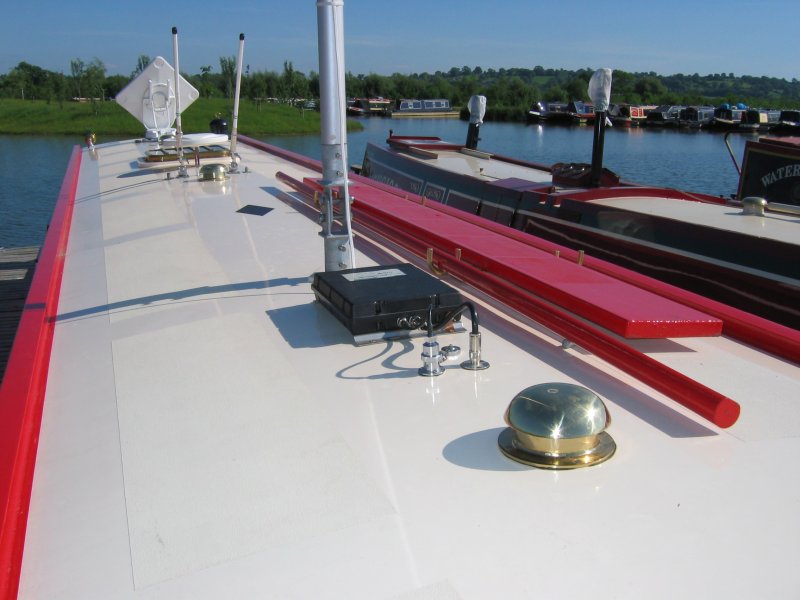 Of course, I already have a good 2.4Ghz antenna for the reception of WiFi signals and this will remain connected to the Dell’s WiFi card if (and when) we manage to secure a good quality marina WiFi signal but the USB stick will supply almost as good as home broadband, depending on availability. Some people will know that I have a deep knowledge of WiFi security auditing and I will, as a matter of course “test” out the security of most of the WiFi hotspots we happen to come across as part of my learnings. And if you believe that, you’ll believe anything.
Anyway, I digress. What I needed was the facility to have good signal strength to the Huawei E220, hence this successful antenna mod.
If you came here from Google, you will want to know the ins-and-outs. I can tell you this is a genuinely very easy mod if you have prepared all your tools and have an hour to play with. Like all modification projects, the key is not to rush.
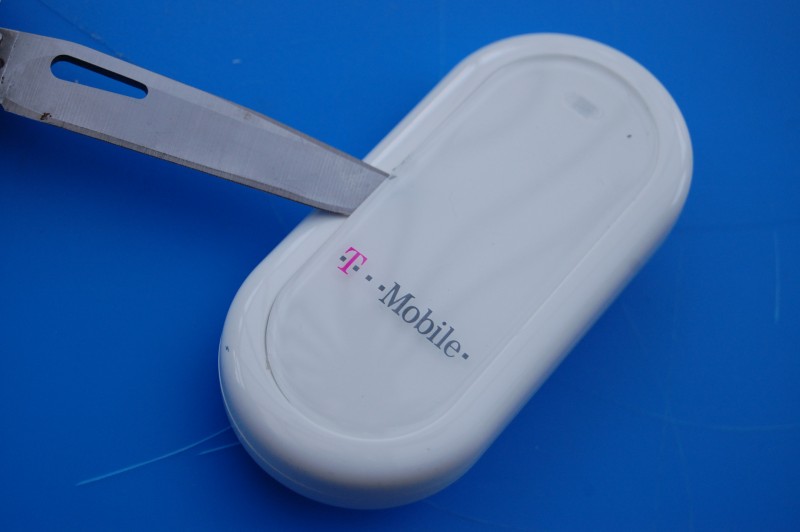
First, lever off the protective branded cover. I used a sharp knife to start breaking the sticky seal. Be carefull you don’t cut yourself. It comes off quite easily with a sort of unsticking sound. Ignore the little tab at one end, it’s only a positional tab and doesn’t do anything mechanical.
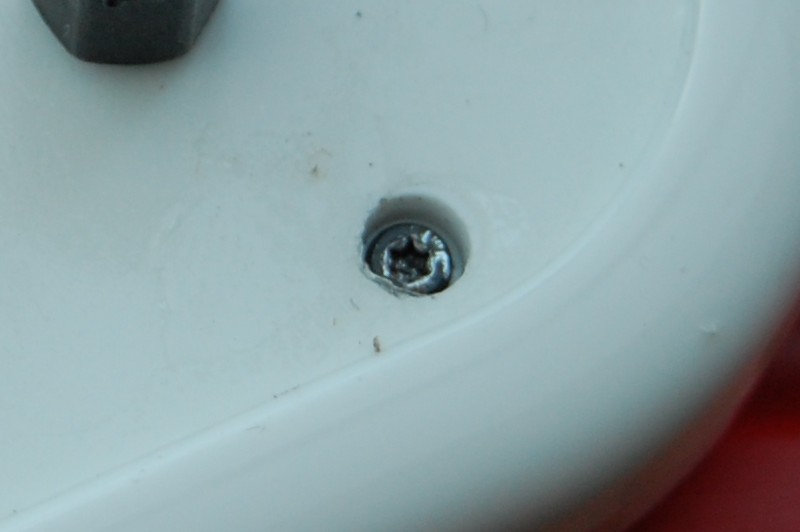
Next, observe the very small Torx style screw that holds the covers together. Initially, you might find they are covered in a sticky paper washer affair, this is just the remnants of the branded cover. Pick them out with a sharp knife.
Now, even my very tiny, small torx screwdriver didn’t manage to uncrew these torx screws, I reverted to using a tiny jewellers screwdriver which just managed to catch the sides of the Torx screw head and I carefully unscrewed it. I have read that some people have just snapped the case open but I wanted to keep it all in one piece. If you can find a teeny-weeny screwdriver, it is worth trying to get this out.
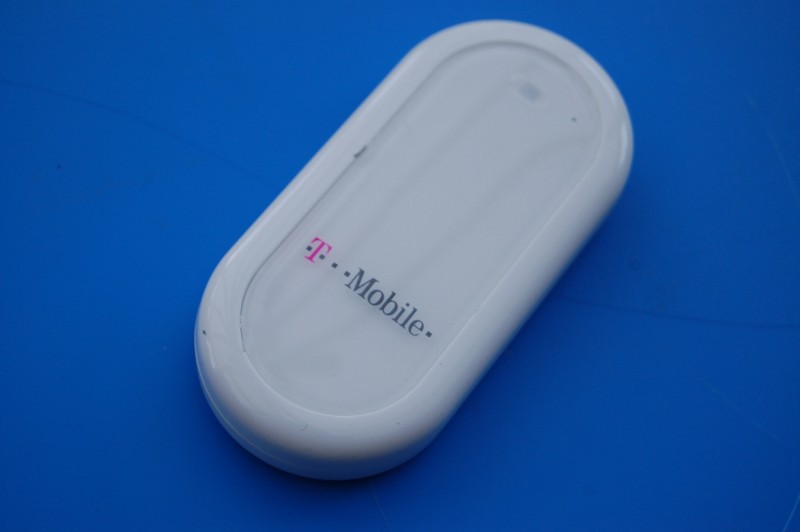
Next, I took out the SIM card and put a very large screwdriver blade inside the opening and started to snap all the mechanical catches apart. Within a few seconds, I had this apart – it is not difficult. Just be careful and work steadily. You don’t need to be strong, just work slowly.
You will see when the device is apart, a weird antanna located opposite the USB connector built around some clear perspex type material. Again, this comes off with the same tiny screwdriver you managed to open the case with via the two torx screws each side of the antenna. I suppose if you had to, you could break this antenna off to do this mod but frankly, if you are a technical sort of person, you should have a teeny screwdriver capable of fitting this torx screw. They came out pretty easily.
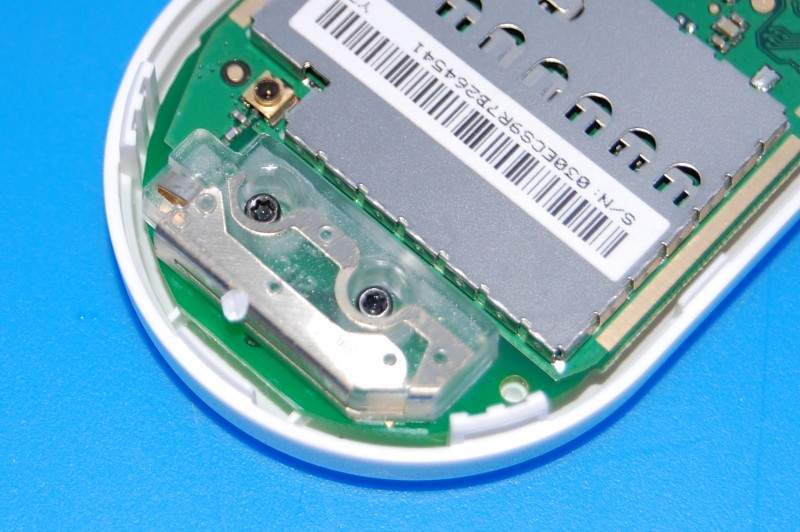
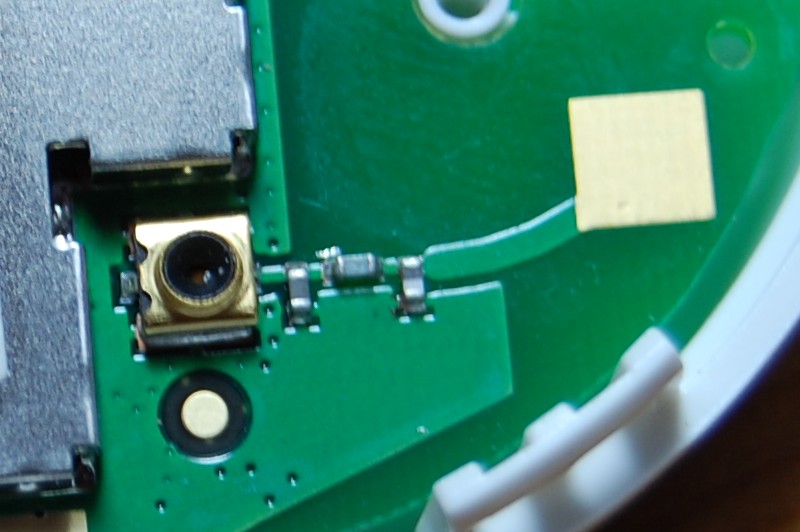
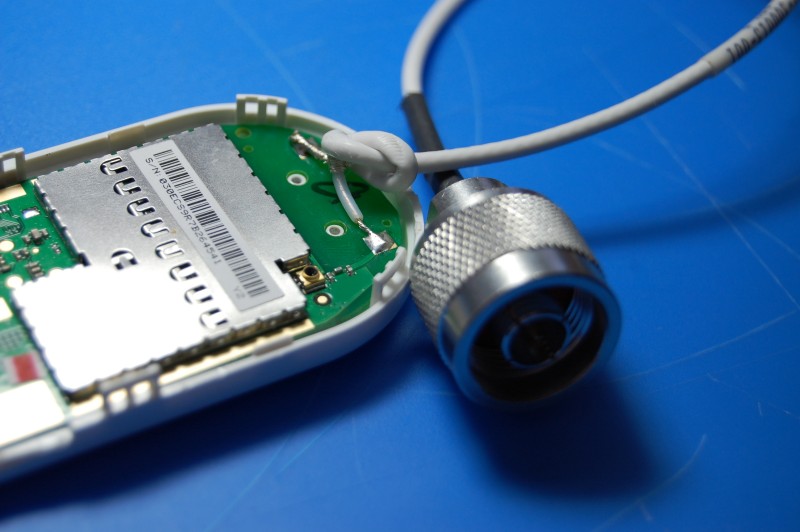
For the technical antenna people reading this, I found this antenna really cute. A quarter-wave at 1.9Ghz is around 4cms which is precisely how big the main element is however there seems to be a matching stub or similar very close to the main element. To start with, I thought this was a separate antenna similar to a fan dipole but the jury’s out since this would mean it also operates at around 4 Ghz, way off I think. Upon reflection, the design seems to be a folded monopole fed against the chasis ground – although the smaller antenna next to the main element is a bit weird. If you know how this works, I’d be keen to understand. Please let me know. The only thing I didn’t work out is the soldered ground I used. Is the ground tag that I soldered actually connected to the chassis ground? I don’t know. Perhaps I need to make some checks. If you know, please contact me with details.
Soldering the RG174 was pretty easy and after I had created a cable exit route with a small heated screwdriver that melted the plastic, everything came together. In the end, I didn’t use the torx screw to put it back together. Instead I just used the clips which will mean if I have to maintain this in the future, life will be a little easier.
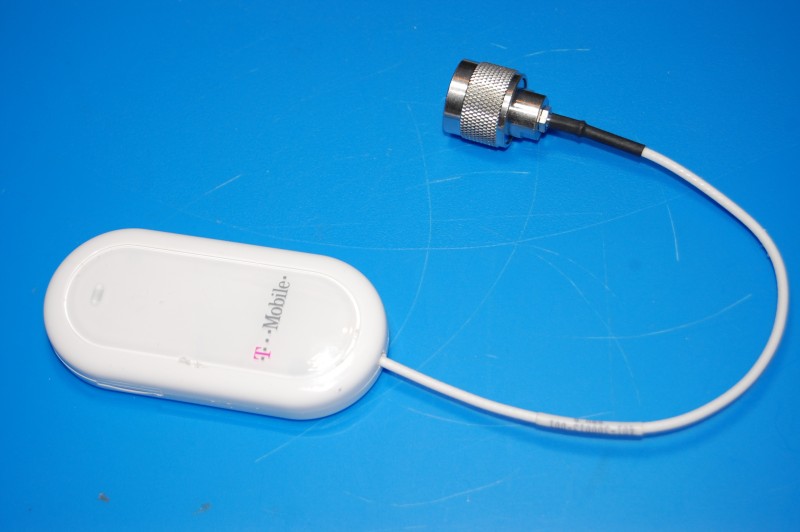
The outcome is good although I have not used this on the right frequency antenna yet. On the boat, I have a dual band cellular antenna which is 60cms long and will display enormous gain (considering a quarter wave is 4 cms). Working through HSDPA specs, I will achieve almost a perfect match with my transmit signal at or around 1.9Ghz and my receive signal, at just under 2.2Ghz should be a fairly easy trip (HSDPA had uplink and downlink frequencies).
My cellular antenna will therefore be transmitting perfectly although receive may be slightly attenuated due to the narrow bandwidth these cellular antennas display.
However, here’s the worst case scenario: Tonight, I used a WiFi antenna as a benchmark and achieved 2 bars using the T Mobile (Huawei provided) software. Considering that a 2.4Ghz antenna is a terrible match, I am happy that this will perform as planned on the boat.
Before I sign off, I hear you ask; “Where did you get the RG174 and matching N-Type”? Seemples; I bought an SMA to N-Type pigtail and cut the SMA off.
All in all, a successful project. I’m very pleased.
(2 days later: I’m currently on the boat connected via this external antenna pigtail to the dual-band cellular antenna, connected at 3.6Mbps. I’m very pleased!)
C.